

Making music used to begin with instruments, software, or years of habit. For many people, that still works. But for everyone else, the barrier has often been the same: you may hear a song in your head without having a practical way to build it. That is why an AI Music Generator feels less like a novelty and more like a shift in who gets to start. Instead of beginning with technical setup, the process begins with language, intention, and a rough sense of mood.
What makes this interesting is not simply speed. Plenty of digital tools are fast. The more important change is that a musical idea no longer needs to arrive in finished form. A fragment of lyrics, a description of atmosphere, or a request for a female pop vocal with a darker tone can already be enough to move from imagination to a playable track. In my view, that lowers the emotional threshold of creation more than the technical threshold. People hesitate less when they do not need to present a complete draft on the first try.
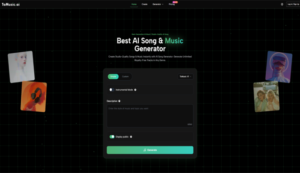
This is also why platforms like ToMusic deserve a closer look than a generic “text in, song out” summary. The product is not only about generating audio. It is about turning vague intent into structured musical choices, giving users several model paths, and preserving the results in a reusable library. That combination matters because music creation is rarely one perfect output. More often, it is a process of comparison, revision, and narrowing toward the version that finally feels right.
Why Language Now Matters In Music Creation
The older logic of music software assumed that users would translate feeling into notes, timing, arrangement, and production decisions. The newer logic is different. It assumes people can often describe what they want before they can technically build it. That is a meaningful distinction.
ToMusic is built around that change. Its public pages describe a system that can transform text descriptions or custom lyrics into professional music, with access to four models labeled V1 through V4. The platform also presents generation as something that can be steered by elements such as genre, mood, tempo, instrumentation, vocal characteristics, and whether the result should be instrumental or lyric-based. Seen that way, the tool is less like a single magic button and more like an interface between human description and machine arrangement.
For creators, this changes the first question. The question is no longer “Can I produce music?” but “Can I explain what I want clearly enough?” That sounds simple, yet it is actually quite powerful. A songwriter with lyrics but no production background, a marketer who needs a mood-specific background track, or a video creator trying several musical directions for the same visual can all enter the process from the level they already understand.
How ToMusic Turns Prompts Into Musical Structure
At a product level, the platform appears to follow a clear sequence: input, interpretation, generation, and storage. That sounds obvious, but the details explain why the experience is more flexible than many people expect.
Text Inputs Become Musical Instructions First
When a user enters a prompt or custom lyrics, the system does not merely attach sound to text. According to the platform’s own explanation, the models analyze factors such as genre, mood, tempo, instrumentation, and vocal expression. In practical terms, this means the text is being converted into a set of musical directions before the final audio is rendered.
That distinction matters because it explains why phrasing affects outcomes. In my testing of similar systems, prompts that specify emotional tone, pacing, and arrangement usually produce more coherent results than prompts that are only descriptive in a broad sense. A request like “sad piano song” may work, but “slow cinematic piano ballad with restrained female vocal and spacious reverb” gives the model far more structure to work with.
Multiple Models Change The Creative Tradeoff
One of ToMusic’s more concrete differentiators is that it does not frame generation as a single-engine experience. Its music page states that the platform provides four models, each with different strengths. V4 is positioned around stronger vocal expression and creative control. V3 emphasizes richer harmonies and rhythmic ideas. V2 is associated with extended compositions and tonal depth. V1 is presented as a more balanced and streamlined option.
This matters because music generation is not one problem. A user making an emotional vocal track, a longer ambient piece, and a fast draft for social content may not want the same model each time. The practical value of a multi-model platform is not only higher output quality. It is the ability to choose the kind of compromise you want.
Model Choice Shapes The Kind Of Revision
When people revise AI writing, they often edit words. When they revise AI music, they are often editing direction. A stronger vocal model may give a more convincing lead performance but a less neutral texture. A longer-form model may be better for ambient development but slower when what you need is an immediate sketch. This is why model choice is not a technical detail hidden in the background. It is part of the creative workflow itself.
How The Official Creation Flow Actually Works
The public interface and FAQ suggest a process that is straightforward enough for non-specialists while still leaving room for control. Based on the pages available, the workflow can be understood in four steps.
Step One Starts With Mode And Model
The generator interface highlights a simple path and also describes a custom mode in the FAQ. Simple mode is meant for descriptive prompts, where the system handles more of the musical decision-making. Custom mode is for users who want more direct control, including their own lyrics and more defined parameters. At this stage, users also choose among the available models depending on the type of result they want.
Step Two Defines Prompt, Lyrics, And Intent
After that, the user provides the main creative input. This can be a text description or custom lyrics. The platform also indicates support for structured lyric tags such as verse and chorus, which suggests that songs can be shaped with some formal control rather than relying only on freeform text. Users can also indicate whether the track should be instrumental or include vocals.
Step Three Refines Style And Generates Variations
The next part is where outcomes are shaped. The platform describes control over style tags, mood, tempo, instrumentation, and voice characteristics. In practice, this is where better prompts tend to separate average outputs from convincing ones. If the first version misses the target, the platform explicitly encourages iteration: refine the prompt, try a different model, and generate again. That is an important detail because it frames generation as exploration, not one-shot perfection.
Step Four Stores Results For Reuse And Review
Once tracks are created, they are saved in the Music Library. The library is described as a personal hub that stores songs automatically with metadata such as titles, tags, descriptions, lyrics, and generation parameters. It also supports cloud-based access, downloads, and review of how each track was generated. That storage layer gives the product a more professional shape, because useful music workflows depend on retrieval just as much as initial creation.
What The Product Features Mean In Practice
The clearest way to understand ToMusic is not by reading feature names alone, but by asking what each one changes for the user.
| Feature Area | What The Platform Shows | Why It Matters In Practice |
| Input Methods | Text descriptions and custom lyrics | Useful for both idea-stage creators and lyric-first users |
| Model Range | Four models from V1 to V4 | Lets users choose between speed, vocal quality, depth, and length |
| Creative Control | Style tags, mood, tempo, instrumentation, vocal traits | Makes outputs easier to steer instead of accepting generic results |
| Output Types | Instrumental tracks or songs with lyrics | Supports both background music and full song creation |
| Duration Options | Some plans and models support longer songs, up to 8 minutes | Better for cinematic, ambient, or more developed compositions |
| Rights And Use | Commercial usage and royalty-free positioning on public pages | Important for creators, marketers, and client work |
| Library System | Automatic storage with metadata and cloud access | Helps with revision, reuse, and cataloging past generations |
Where This Feels Useful Beyond Hobby Creation
A lot of AI music discussion stays at the level of novelty. That misses where tools like this are actually practical.
Small Teams Can Test More Musical Directions
A marketer, indie developer, or solo video editor often needs three to five musical directions before choosing one. Traditional production makes that expensive in both time and money. A system like ToMusic changes the cost of exploration. In my view, this is one of the strongest use cases: not replacing composers in every context, but letting small teams test creative direction earlier and more often.
Writers And Lyric-First Creators Gain Leverage
There is also a quieter use case that matters. Some people think in words before melody. For them, custom-lyrics support is not just a convenience feature. It is the core reason to use the product at all. If the platform can take structured lyrics and produce a usable vocal result, it gives lyric-first creators a path to hear form, pacing, and emotional delivery much sooner than they otherwise could.
Where Human Judgment Still Decides The Outcome
None of this means the system removes taste, revision, or limitation. In my experience, the biggest variable in AI music is still alignment between prompt and intention. Weak prompts create vague songs. Overloaded prompts can create confused ones. And even when a result is technically strong, it may not be the version that feels emotionally correct.
Iteration Remains Part Of The Real Workflow
ToMusic’s own FAQ acknowledges this indirectly by encouraging regeneration and refinement when a result is not right. That is realistic. Good use of AI music tools is usually less about a perfect first generation and more about narrowing possibilities efficiently.
Control Improves Results But Raises Expectations
The more controls a platform gives you, the more important your own direction becomes. That is not a flaw. It simply means the tool works best when users treat prompting as part of composition rather than as an afterthought.
Why This Matters More Than Fast Audio Output
The deeper significance of ToMusic is not that it can produce songs quickly. It is that it reorganizes the starting point of music creation around intent rather than technical preparation. For some users, that means moving faster. For others, it means getting to begin at all.
That distinction is easy to underestimate. A tool becomes meaningful when it gives form to ideas that would otherwise remain private, unfinished, or postponed. ToMusic appears strongest when understood in that light: not as a promise that every generated track will be definitive, but as a system that makes musical experimentation easier to enter, easier to compare, and easier to keep building from over time.